Bake-on-mesh skins for EvoX heads

Make skins and sell them in your Second Life store.

Skinlab Studio is a skin studio in the browser. Start from a photo, finish the skin on a 3D head, and sell it from your own store: Skinlab delivers every sale. You can also make a skin of your own face.

Invite-only beta · both accounts free
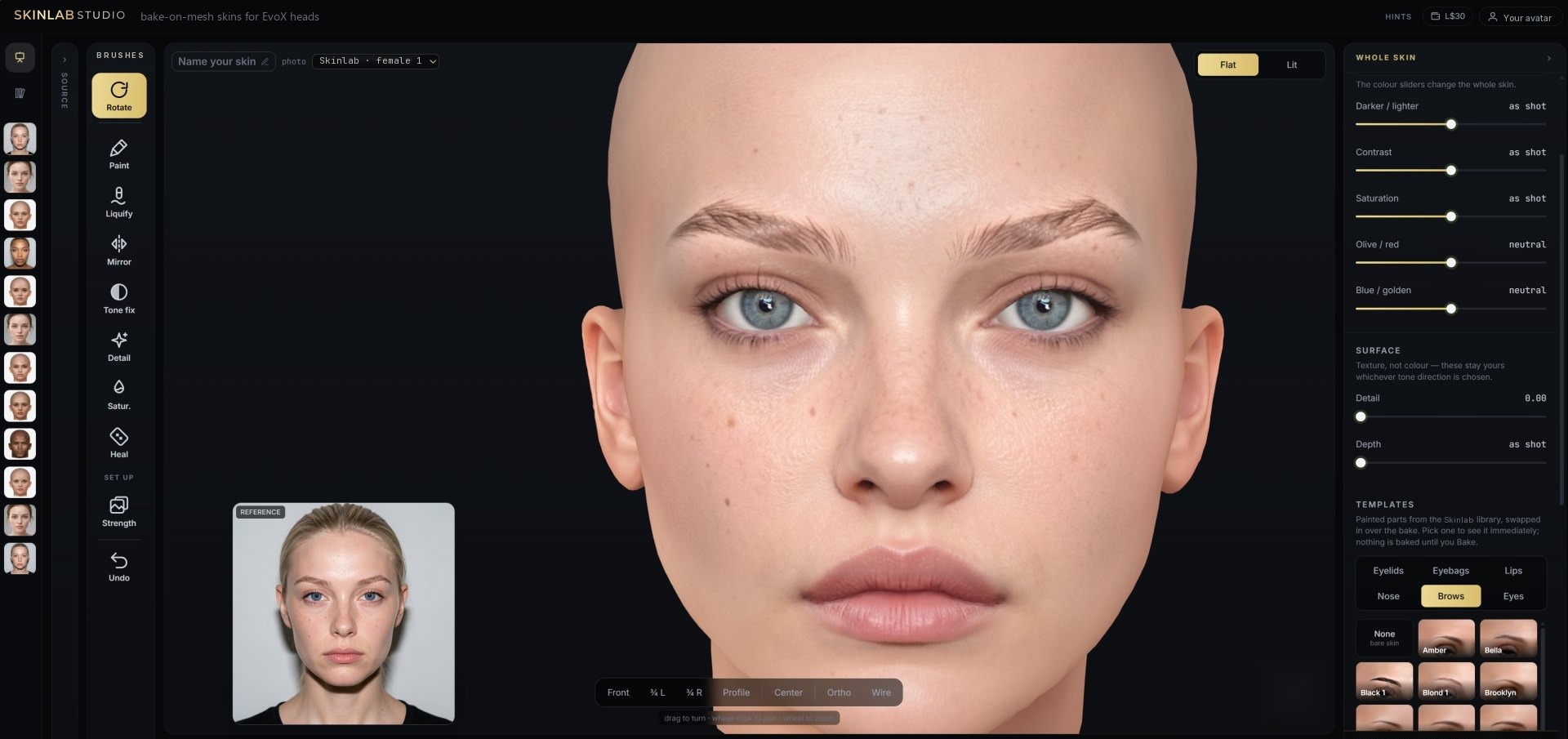
skinlab.studio/studio
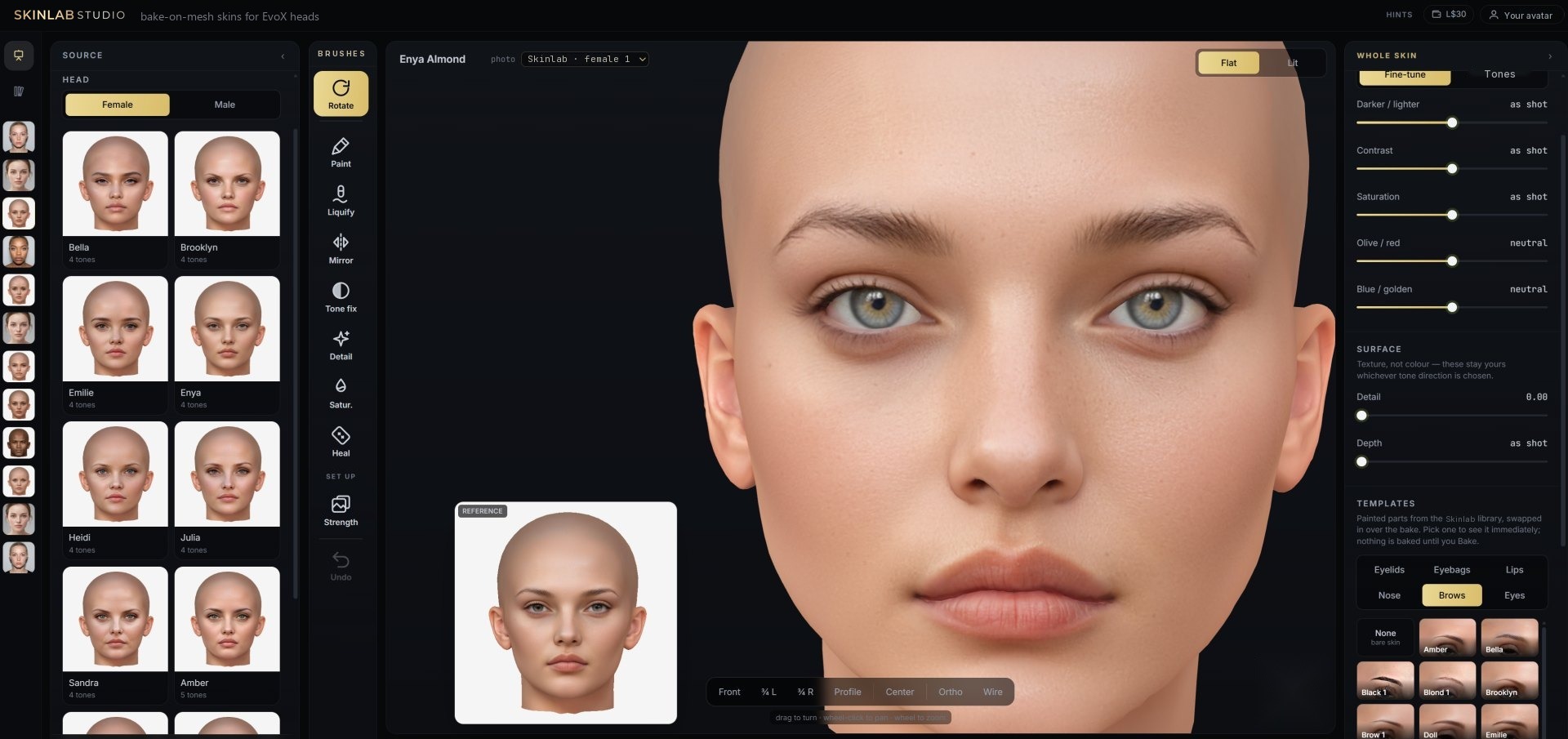
Skinlab Studio — a skin made from a photo, on the 3D head, with the photo beside it
Start from a photoany front-facing photo, or the webcam
Live 3D headyou work on the head, not on a flat sheet
Sold in your storeyour vendor, your picture, your price
Delivered for youevery sale, demo and redelivery, in-world
For creators

Sell your skins without handling a single delivery

1

Make the skin

Start from a photo and finish it in the studio: tones, sliders, brushes and painted parts, on the 3D head. The studio gets most of the way; small touch-ups with the brushes are normal.

2

Publish it

Publish the skin as a product, one tone each. Skinlab builds it in Second Life once, with a watermarked demo beside it.

3

Set up your vendor

Put the Skinlab vendor script in your own vendor, with your own picture, and choose the product. You set the price.

4

Skinlab delivers

Every sale, every free demo and every redelivery goes to the buyer's inventory by itself. Skinlab takes a fixed fee per sale; the rest is yours.

Creator accounts are free, by invitation. IM SkinLab Resident in Second Life with your store's name. See Pricing for both accounts.

Your own face

Or make a skin of your own face

1

Start

Drop a front-facing photo or use the webcam. The studio takes you through it: line up the eyes, choose what to take from the photo, save. Even light, a closed mouth and hair off the face give the best result.

2

Make it yours

Turn the head and look at it in flat or lit light. Change the whole skin with tones and sliders, fix one spot with the brushes. Give the skin a name.

3

Pay in-world

Press Deliver and pay SkinLab Resident in Second Life; it IMs you how. A demo is free, so you can check the fit first.

4

Wear it

The skin arrives in your inventory a minute or two later, as BOM layers for any EvoX head. You can also send it to someone as a gift.

What it does

Everything a skin needs, in one place

Making a good skin normally takes several programs and a lot of practice. The studio has the steps a skin needs, and nothing else. It runs in the browser; there is nothing to install.

A skin open in the studio on the 3D head
The start

A face from a photo

The photo goes onto a painted Skinlab head, through the 3D head. You line up the eyes and choose what to take: skin, nose, mouth, brows, lids and eyes, each on its own. The result keeps the person's own colour, light and pores.

  • Photo or webcam, on a female or a male head, light or dark
  • No photo of your own? Start from a ready-made face in Face photos
  • The studio in English, French, German and Spanish
  • A photo lit from one side can be evened out, and one half can be mirrored
  • Borrow colour, freckles and pores from a donor skin, with the brush
  • A face from a photo takes a few minutes
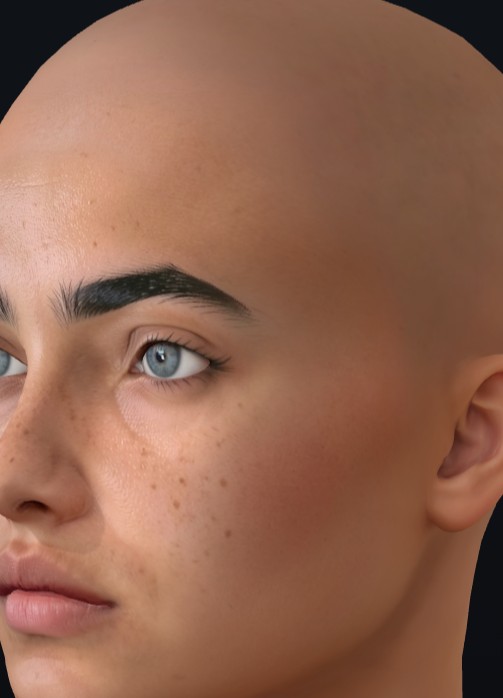
A finished skin on the EvoX head
The finish

The whole skin, or one spot

Tones change the whole skin to a painted tone. Face, neckshade and ears always match.

  • Sliders for light, contrast, colour and saturation
  • Heal, mirror, liquify and paint brushes, on the head
  • Painted parts from the library: eyelids, eyebags, lips, noses, brows and eyes
The delivery

Paid and delivered inside Second Life

No card forms and no downloads. Payment happens in Second Life, and the skin arrives as one folder in the inventory.

  • Demo, free: the full skin with neckshade and ears, marked DEMO, to check the fit
  • Full 2K: face and neckshade as one tattoo layer, ears as a universal layer, no watermark
  • Gift delivery, with the sender's name on the note
  • Money from a failed delivery stays as credit for the next skin

Request an invite

The studio is in closed beta, invite only. Leave your Second Life name and SkinLab Resident sends you an invite code by IM in Second Life. Want to sell? IM SkinLab Resident with your store's name as well.

Your name is used for the invite and nothing else. If you are offline, the IM waits for your next login.